AI features often fail at the interface boundary, not because a team lacks a model, but because the product does not explain what the model knows, what it guessed, what it needs, or what will happen next. A polished answer can still be misleading if its evidence is hidden. An agent can still feel unsafe if approval covers an unclear set of actions. A retry button can still frustrate people if their original input disappears.
Trustworthy AI UX is not a promise that a model will always be correct. It is a way of designing the surrounding product so people can form a more accurate mental model, inspect important evidence, make meaningful choices, recover from failure, and understand how their data is handled. This guide turns that idea into practical states for product designers, PMs, UX writers, researchers, and founders shipping AI SaaS features.
What trustworthy AI UX means
Trustworthy AI UX patterns are interface and workflow choices that make model behavior reviewable. They connect a system event to a user-facing explanation and a next action. The pattern is not just a sentence such as “AI-generated.” It includes the trigger, the evidence available, the uncertainty that matters, the control boundary, the recovery route, and the signal the team will use to evaluate the experience.
Microsoft’s HAX work is useful because it organizes human–AI interaction around recurring situations: the initial interaction, the moment an AI is working, what happens when it is wrong, and how the relationship changes over time. Google’s People + AI Guidebook similarly treats trust and explanations, feedback and controls, errors and graceful failure, expectations, and model evolution as connected design responsibilities. These sources offer principles and patterns; they do not remove the need to test a particular product with its particular users and data.
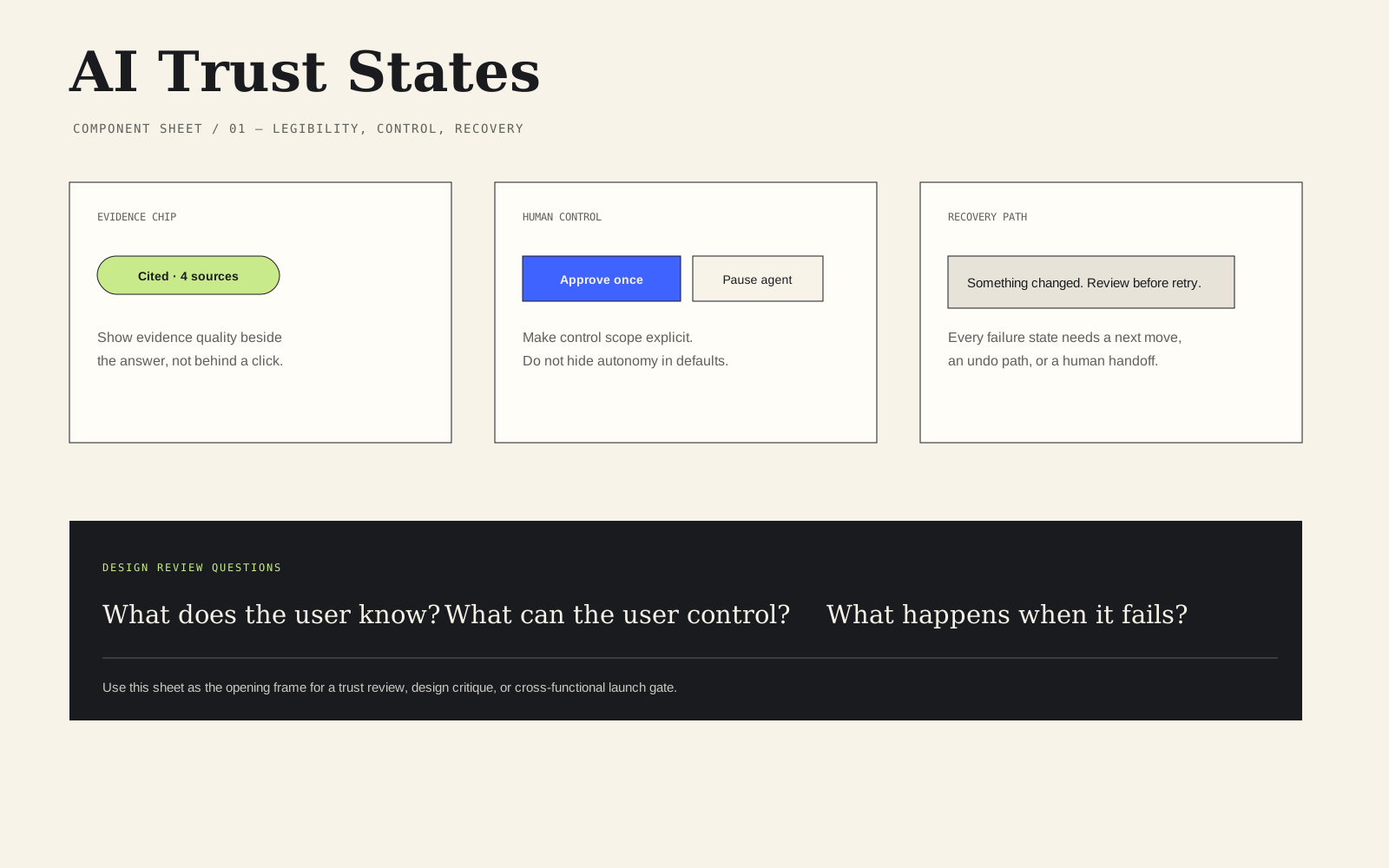
For a lean team, begin with five review questions:
- What does the user expect the system to do in this state?
- What does the system know, infer, or fail to verify?
- What can the user inspect, approve, interrupt, undo, or escalate?
- What happens when the result is wrong, incomplete, unavailable, or delayed?
- What evidence will tell the team whether this state helps?
Make uncertainty visible
Four-step trust review:
- Start by naming what the model knows, what it inferred, and what it cannot verify.
- Show citations or explain why evidence is unavailable.
- Give users a specific recovery path, a clear human-approval boundary for consequential actions, and plain-language privacy choices.
- Then record an evaluation signal so the team can learn whether the interface helps people understand and control the system.
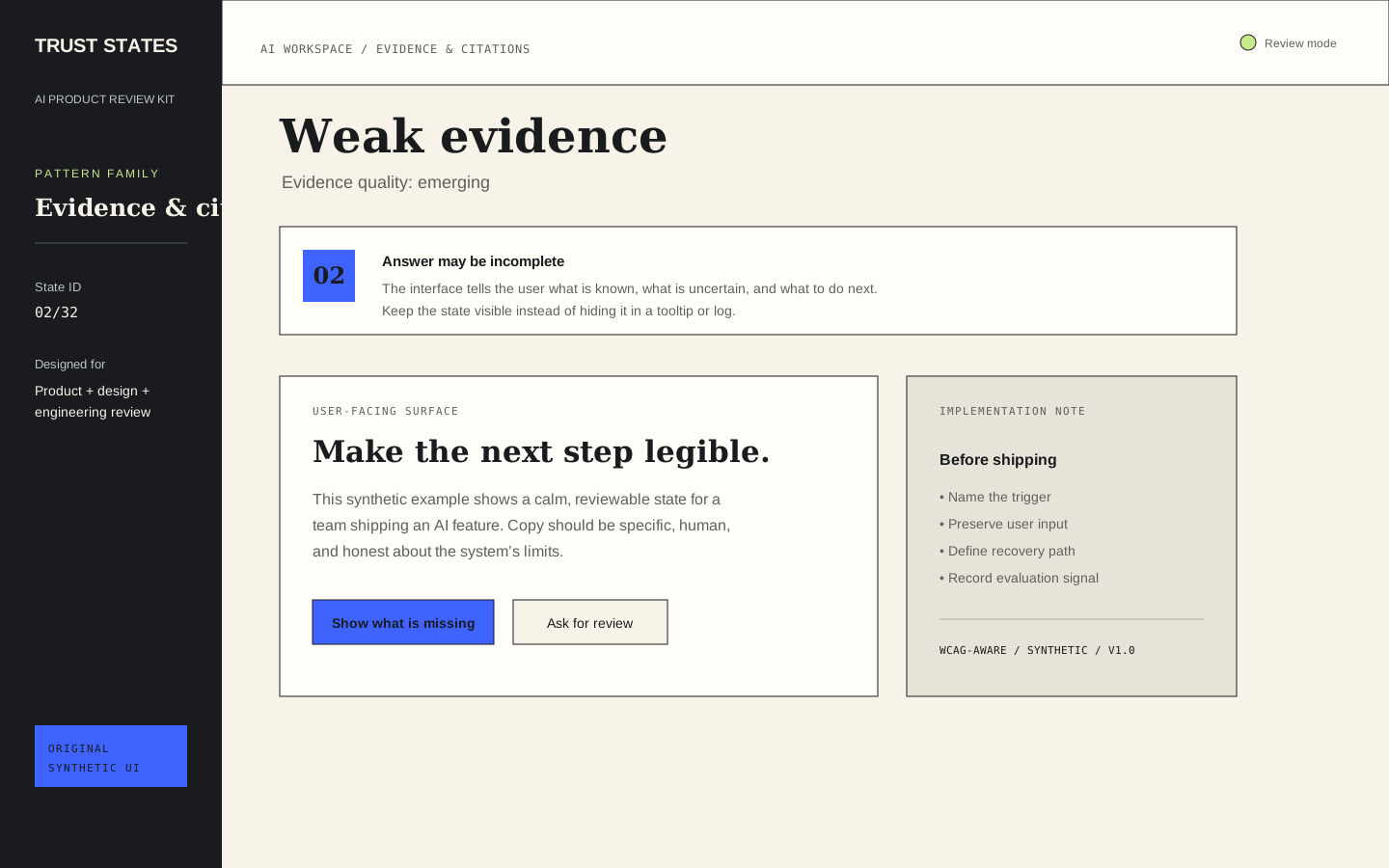
Uncertainty is not one generic warning. It can mean that the model has weak evidence, that sources conflict, that the request is ambiguous, that the answer is outside the reviewed context, or that the system is estimating rather than retrieving. The interface should name the relevant kind of uncertainty and connect it to a choice.
Avoid decorative confidence scores that appear precise without explaining their meaning. A percentage can encourage false certainty if users do not know how it was calculated or what threshold changes their action. Prefer plain language when it is more useful: “I found a likely answer, but the available sources disagree,” or “I can suggest a direction, but I cannot verify this claim from the connected sources.”
The next action should match the uncertainty. If the request is ambiguous, ask a clarifying question. If sources conflict, let the user compare them. If evidence is missing, offer a way to add a source or narrow the request. If the state is outside the product’s reviewed context, explain the boundary and offer a human or alternative path.
Design AI citation UX
Citations can help people inspect an answer, but a citation link is not proof that the answer is correct. Good citation UX helps a user understand which statement a source supports, how current the source is, and where the evidence is weak or incomplete. It also avoids implying that every sentence has equal support when only one part of an answer is grounded.
Use a visible evidence relationship. Place a source marker near the relevant claim, provide a readable source title, and give the user a way to open the supporting passage or source context. If the system cannot identify a reliable source, say so. “No reviewed source found for this claim” is more useful than an empty citation icon.
Review citation failure cases as carefully as the successful path. What happens when a source is unavailable? When two sources disagree? When a retrieved document is stale? When the system cites a page but the cited passage does not support the generated claim? These cases belong in the design review and evaluation plan, not only in an engineering log.
Use the product language to distinguish “source found,” “source considered,” and “claim supported.” Those are different states. A source may be relevant without proving a conclusion. Teams should also define whether a citation is a convenience for inspection, a required evidence threshold, or a signal that triggers human review.
Build failure and recovery paths
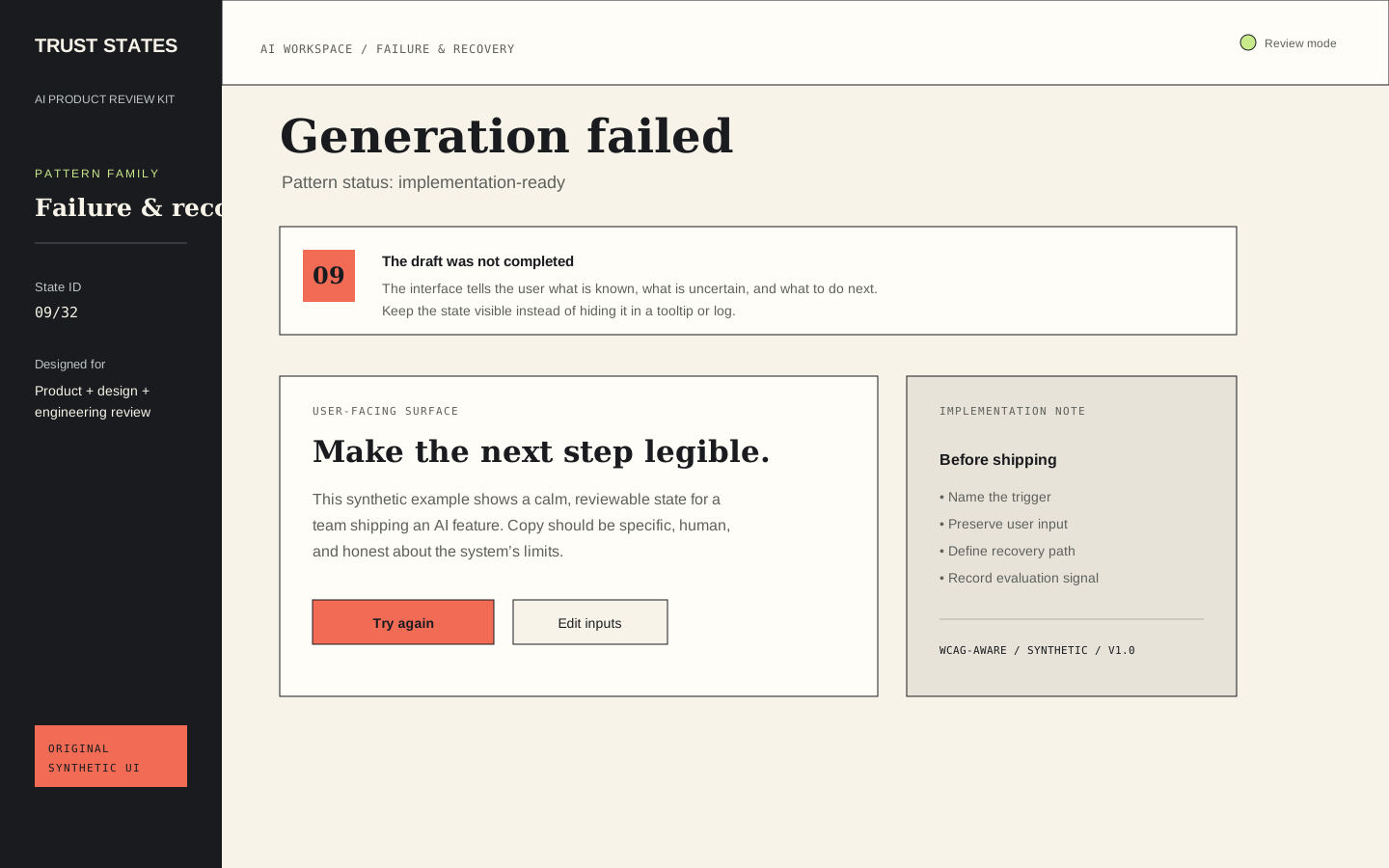
Users do not experience a model failure as an abstract infrastructure event. They experience a blocked task. The interface should preserve their work, explain what happened in plain language, and make the next step specific. A useful failure state answers: what failed, whether anything was saved, what the user can try, and when to ask a person for help.
Do not use “Something went wrong” as the entire message. Keep the technical detail available for support, but give the user an actionable explanation. “The answer could not be prepared from the connected sources. Your question is still here. Try a narrower request or add a source” gives more control than a generic error.
Retry behavior deserves design attention. Preserve the original input by default, show whether the retry uses the same context, and avoid making the user repeatedly pay for a failure with lost work or hidden state. If a retry may produce a different result, say so when that difference matters. If the system is unavailable, provide a saved or offline path where possible.
Set human-approval boundaries
Human-in-the-loop UX is meaningful only when the human knows what they are approving. A button labelled “Approve” is not enough if the target, scope, timing, or downstream consequence is unclear. Before a consequential agent action, show what will change, which records or people are affected, what evidence informed the action, and whether the approval applies once or to a broader rule.
Use scoped controls. “Approve this email draft once” is different from “Allow the agent to send similar emails automatically.” “Run this migration in the staging workspace” is different from “Run this migration everywhere.” Make the boundary visible in the confirmation surface and in the resulting audit record.
Include interruption and recovery. Users should be able to pause an agent before the next action when the product context allows it. If an action cannot be undone, say so before approval. If an action can be reversed, show the undo window and what undo actually restores. If the system cannot complete the action, explain whether partial changes occurred and how a person can inspect them.
Do not use a human approval step to create the appearance of safety while presenting the reviewer with an unreadable summary. Approval is a decision task. Give the reviewer the information, time, and controls necessary to make that decision responsibly.
Explain privacy and data use
AI privacy UX should answer the questions a reasonable user has at the moment they share information: what is being sent, why it is needed, who can access it, how long it is retained, whether it is used to improve a model, and how the user can delete or export it. The exact answers depend on the product and provider, so do not fill the interface with universal claims that the team cannot verify.
Use layered disclosure. Put the decision-relevant summary next to the input or action, then link to more detailed information. For sensitive inputs, explain what the user can remove or redact before continuing. If the product supports a retention choice, make the choice understandable and show the default. If the product cannot offer a choice, explain the constraint rather than suggesting control that does not exist.
Privacy language should not be hidden in a policy link when the immediate action carries a meaningful data consequence. A policy can provide detail; it should not be the only place where the product tells a user that their content will be processed by an external service.
Add evaluation and auditability
A trustworthy interface needs a learning loop. Define what successful understanding, control, and recovery look like before launch. Possible signals include whether users open evidence details, correct an answer, abandon after an uncertainty state, complete a recovery path, reject an agent action, request human review, or report that a result was not useful.
These signals need interpretation. A low citation-open rate might mean the answer is clear, the citation is hard to find, or users do not trust it enough to continue. A high approval rate might mean actions are safe and expected, or it might mean reviewers are approving too quickly. Pair behavioral signals with qualitative review and test the interface with realistic scenarios.
Auditability is the record of what happened: the input or task context, the result shown, the evidence available, the action proposed, the person who approved it, the time, and the changes made. Store only what the product is authorized to store, protect sensitive data, and tell users what is recorded. An audit log is not a substitute for access control or security engineering.
NIST’s AI Risk Management Framework and Generative AI Profile are useful reminders that trustworthiness includes more than tone. Confabulation, privacy, information integrity, human–AI configuration, transparency, and accountability create product and implementation questions that should be reviewed with the relevant product, engineering, research, security, and legal stakeholders.
Trustworthy AI UX checklist
Before shipping an AI feature or a material model change, walk through the normal state and the difficult states:
- Expectation: Can a new user explain what the system is doing?
- Evidence: Can the user inspect support for important claims?
- Uncertainty: Does the interface distinguish weak evidence, ambiguity, conflict, and missing context?
- Recovery: Does failure preserve the user’s work and offer a specific next move?
- Control: Is human approval scoped to a visible action and target?
- Privacy: Are collection, retention, processing, and deletion choices explained at the point of need?
- Accessibility: Are status changes, errors, labels, focus, contrast, and keyboard paths reviewed in the implementation?
- Evaluation: Is there one signal for understanding, one for recovery, and one for harmful or misleading outcomes?
- Auditability: Can the team reconstruct what happened without exposing more data than necessary?
W3C WCAG 2.2 provides testable accessibility success criteria, but a pattern library cannot certify conformance. The product team still needs semantic implementation, assistive-technology testing, localization review, privacy review, security controls, and product-specific evaluation. The same boundary applies to AI safety: good UX can improve understanding and control, but it does not guarantee model accuracy or eliminate risk.
The AI Trust States: Figma & Review Kit packages these review questions into 32 editable states across evidence, uncertainty, failure, human approval, privacy, evaluation, status, feedback, and auditability. It includes original synthetic examples, copy variants, a trust-review workbook, a launch checklist, and implementation notes. Use it to make the review conversation concrete, then adapt and test the patterns against your own users, data, model behavior, and operating constraints.
Evidence consulted
Sources and limits
These sources support the practical principles discussed above. They do not establish one universal operating rule or guarantee a product outcome.
Useful answers
Frequently asked questions
What are trustworthy AI UX patterns?
They are interface and workflow patterns that make an AI system's uncertainty, evidence, controls, failures, data use, and audit trail visible and actionable. They help users form a more accurate mental model without claiming that the model is always correct or safe.
How should an AI interface show uncertainty?
Name the relevant uncertainty—such as weak evidence, conflicting sources, ambiguity, or missing context—and pair it with a useful next action like comparing sources, clarifying the request, adding evidence, or requesting human review.
What should AI citation UX include?
Citation UX should show which source supports a claim, provide a readable source label and inspection path, and explain when no reviewed source is available. A citation helps inspection but does not by itself prove that a generated claim is correct.
When should an AI agent require human approval?
Use human approval when an action is consequential, difficult to reverse, affects other people or records, or crosses a user-control boundary. Show the exact action, target, scope, evidence, and whether approval applies once or to a broader rule.
Does an AI UX pattern library certify compliance or safety?
No. A pattern library is design guidance. Accessibility conformance, privacy, security, legal compliance, and AI safety depend on the product's implementation, data, users, controls, testing, and operating context.