A useful client portal should show the project’s current phase, the next client decision, the person responsible for that decision, and the date it matters. It should also make the latest approved work, feedback route, key milestones, project rules, and important files easy to find. The goal is not to expose every internal task. The goal is to give a client enough context to respond confidently without asking for a status reconstruction in email.
This structure is for freelance designers, developers, and small creative studios. It treats the portal as a client-facing operating layer, not as a replacement for your contract, delivery system, security review, or handoff process. For accessibility, W3C’s WCAG overview provides a useful standard-based lens; for security and privacy, adapt the guidance below to the platform, contract, jurisdiction, and sensitivity of the project data.
What a client portal should show
Start with the questions a client is most likely to ask when they open the page: Where are we? What do you need from me? What happens after I respond? A portal earns its place when those answers are visible before the client searches through messages, meeting notes, or file names.
| Portal element | Client question it answers | Right level of detail |
|---|---|---|
| Current phase and status | Where are we now? | One plain-language sentence, with a last-updated date. |
| Next decision | What do you need from me? | Decision, owner, due date, and link to the item being reviewed. |
| Milestone map | What comes before and after this? | Major project moments and dependencies, not every internal task. |
| Feedback and approval rules | Where do I respond, and what counts as approval? | One canonical route, review owner, round expectations, and scope boundary. |
| Resource index | Where is the latest brief, work, or decision? | Current links grouped by purpose, with old versions clearly marked. |
| Access and ownership notes | Who can see this, and what happens at handoff? | Named roles, permissions, and a pointer to the final access checklist. |
Keep the first screen short. A long dashboard can contain useful information and still fail as a portal if the decision request is buried below decorative metrics. Use labels that describe the client’s action, such as “Approve homepage direction,” rather than internal language such as “Gate 2 pending.”
Make the next decision visible
Lead with the current moment
The top status block should name the phase and explain what that phase means. “In review” is a start, but “In review: choose one of two homepage directions by Thursday” gives the client a usable next step. Include the date the block was last updated so a client can tell whether the information is current.
Separate the decision request from general news. A progress paragraph may explain what the team completed, but it should not force the client to infer the requested action. A strong decision block contains four parts: the decision, the approver or owner, the due date, and the review link. If there are options, label the options consistently and state what will happen after a choice is recorded.
Show evidence and dependencies
A client does not need an internal task log to understand why a decision matters. They do need the item under review and a brief explanation of what depends on it. For example, an approved content structure may be the input for page design, while an approved design direction may be the input for development. Stating that dependency makes the sequence understandable without turning the portal into a technical project plan.
Use target dates as planning signals, not promises detached from the client’s response. If a date depends on approval, say so. If a decision is late, update the status and explain which downstream milestone is being reassessed. This is more trustworthy than leaving an old date in place because it looks tidy.
Show progress without exposing every internal task
Clients usually need milestone-level visibility. Your team needs task-level control. Keep those views related but not identical. A client-facing portal can show kickoff, brief approval, direction, production, review, launch, and handoff. The studio’s internal board can hold estimates, subtasks, blockers, technical notes, and work-in-progress detail.
This is a trade-off, not a rule that every client should see less. A technically involved client may need a little more detail, while a busy executive sponsor may need a short decision view. Choose the smallest amount of detail that lets the client participate correctly. If a detail does not change a client decision, timing expectation, approval, or access responsibility, it probably belongs in the internal system.
Illustrative example: A small website project is in “content and structure review.” The portal shows the sitemap link, the one decision still open, the review owner, the response date, and the next milestone called “visual direction.” It does not show every research note, CSS task, or internal estimate. The client can see the relationship between the open decision and the next stage without being asked to manage production.
Do not use a percentage-complete number unless the team can define what it measures and update it consistently. A clear state such as “waiting for consolidated approval” often communicates more than “72% complete.” Status labels should describe a condition the client can act on: in progress, ready for review, awaiting client input, approved, or blocked.
Design for feedback, approval, and scope boundaries
A portal should make the review path obvious, but it does not need to contain the entire feedback operating procedure. Use one clearly named route for comments and state who consolidates the client’s response. If the project has multiple reviewers, identify the person whose response counts as the client’s final direction for that round.
For a deeper treatment of collecting, classifying, and closing scattered notes, link readers to the feedback hub article. In this article’s lane, the portal’s job is to point to that route and explain the decision state. It should answer: “Where do I leave feedback?” and “Has the team recorded the decision?” It should not become a second, conflicting comment system.
Make the approval boundary equally visible. State what approval covers, which version is being approved, and what happens to new requests that appear after approval. A short rule can be enough: “Approval confirms this direction for the current scope; new deliverables or changed requirements are reviewed through the change process.” The wording should match the contract and the studio’s actual process.
Keep the rule proportional. Heavy administration can encourage people to bypass the portal, while vague rules create disputes later. A useful portal turns the boundary into a next action: approve the listed version, consolidate any remaining notes, or submit a new request for assessment. Avoid presenting a scope rule as a legal conclusion; it is an operational reminder that must fit the engagement terms.
Include resources, decision history, and handoff context
Group resources by the job they help the client do, not only by file type. Useful groupings include “Start here,” “Review now,” “Approved decisions,” “Meeting notes,” and “Handoff.” Put the current link first and label superseded versions clearly. A client should not have to open five files to discover which one is current.
Record enough history to explain the present state. A short decision log can include the date, decision, approver, and linked version. It does not need to reproduce every conversation. History protects continuity when a team member joins, a client returns after a pause, or a later question depends on why a direction was chosen.
Access deserves its own small block. Name who can view, comment, approve, or administer the portal. Review whether a file contains credentials, personal information, confidential business information, or material that should not be shared with every project participant. Do not put passwords in a general portal page. Link to the appropriate approved access method instead.
For the closeout stage, point to the client handoff process article when the reader needs the detailed sequence for organizing files, confirming ownership, and recording access. The portal should preview the handoff status and destination, not pretend that a single status card replaces a tested handoff package.
Make the portal accessible and safe to use
Use an accessibility review lens
W3C describes WCAG around four principles: content should be perceivable, operable, understandable, and robust. Apply those principles to the portal’s actual controls and documents. Use real headings, descriptive link labels, readable contrast, plain language, keyboard-operable controls, visible focus, and form labels that make the requested input clear. Check that status information is not communicated by colour alone.
These are practical checks, not a claim that a portal conforms to a particular level. The WCAG 2.2 standard contains the testable success criteria, including keyboard access. Test the chosen platform with the devices and assistive technologies your clients use, and offer a workable alternative when a document or interaction cannot be used as provided.
Minimise and protect project data
Do not collect information simply because the portal has a field for it. The GOV.UK Service Manual advises collecting only the data needed, agreeing a retention period, storing it securely, restricting access to people who need it, and deleting data when it is no longer needed. That guidance is written for user research, but the operating logic is useful for client project portals too. Adapt it to the contract, client instructions, applicable requirements, and professional advice.
Use the NIST Cybersecurity Framework 2.0 as a risk vocabulary: identify the portal’s assets and users, protect identity and access, secure data, and plan how the studio will detect, respond to, and recover from an incident. The framework does not certify a portal or remove the need for platform-specific configuration.
Where the platform supports it, enable multifactor authentication and review permissions when people join, leave, or change roles. CISA recommends MFA wherever possible and notes that stronger methods offer stronger protection. A studio should still verify what its chosen service actually supports. Avoid implying that MFA, a portal, or this article guarantees privacy or prevents every compromise.
Choose the right level of detail for the project
A portal for a two-week identity exercise may need a current brief, one review link, a decision date, and a final file area. A multi-phase website or product project may need a milestone map, several decision owners, an approval history, release dependencies, and a staged handoff view. Start with the smallest structure that answers the client’s questions, then add a block when a recurring question proves it is needed.
More detail can improve transparency, but it also increases maintenance and creates more places for contradictory information. Before adding a metric, ask who will update it, what decision it informs, and what the client should do with it. If nobody owns the answer, leave the metric out.
Assign one person to maintain the client-facing truth, even when several people contribute to delivery. Update the portal when the phase changes, a decision is recorded, a date moves, a file becomes current, or access changes. A short weekly review can catch stale links, unmarked superseded files, unclear owners, and requests that are waiting without an explanation.
Make the portal a calm shared reference
The best client portal is not the one with the most widgets. It is the one a client can open after a busy day and understand in under a minute: current phase, next decision, responsible person, due date, evidence, and what follows. Everything else should support that orientation.
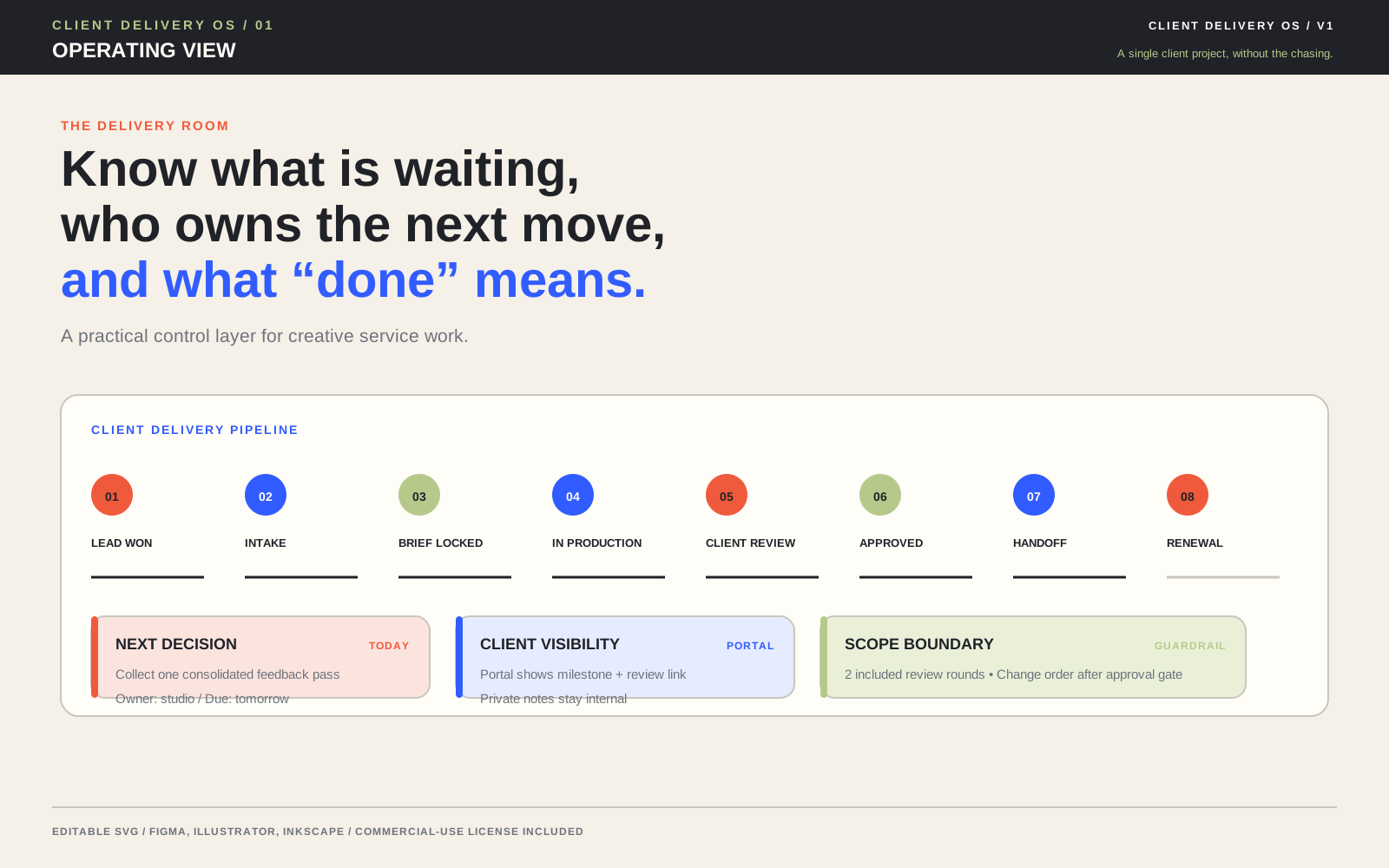
Client Delivery OS is positioned as a planning and workflow framework for freelance designers, developers, and small creative studios. Its listing describes editable views for a client portal, feedback hub, approval gate, handoff package, and related delivery stages, alongside CSV tables, setup materials, client portal copy, and a guide. Treat those materials as a starting structure: replace sample data, choose the fields that fit the engagement, and verify the final portal’s permissions, accessibility, timing, and scope language yourself.
That discipline keeps the portal distinct from the internal production board, the feedback-consolidation workflow, and the final handoff package. It gives the client a clear shared reference without pretending that visibility alone resolves every project decision.
Evidence consulted
Sources and limits
These sources support the practical principles discussed above. They do not establish one universal client-delivery rule or guarantee a project outcome.
Useful answers
Frequently asked questions
What should a client portal show first?
Show the current project phase, the next client decision, the owner, the due date, and the link or item being reviewed. Add a last-updated date so the client can judge whether the status is current.
Should clients see the entire internal task board?
Usually not. Show milestones, decisions, dependencies, and the information a client needs to participate. Keep granular tasks, estimates, technical notes, and work-in-progress detail in the studio’s internal system unless a specific client needs more visibility.
What is the difference between a client portal and a feedback hub?
The portal is the client-facing orientation layer: it shows the phase, next decision, milestones, resources, and rules. A feedback hub is the canonical route for collecting, classifying, consolidating, and closing review notes. The portal should link to that route rather than create a second comment system.
How can a client portal be more accessible and secure?
Use clear headings, descriptive links, readable contrast, plain language, labelled forms, keyboard-operable controls, and visible focus. Minimise collected data, restrict access by role, review permissions, use multifactor authentication where the platform supports it, and set a practical retention and deletion approach. These steps do not by themselves guarantee accessibility, privacy, or security.
How often should a client portal be updated?
Update it whenever the current phase changes, a decision is recorded, a date moves, a file becomes current, or access changes. Assign one person to maintain the client-facing truth and run a short recurring review for stale links, unclear owners, and waiting requests.