A client handoff is the moment your work becomes someone else’s working material. That distinction matters. A polished logo, website, brand system, codebase, or campaign can still create friction if the client cannot find the final files, understand the decisions, access the right tools, or tell what happens when a question appears next month.
The goal is not to produce the largest possible archive. The goal is to transfer responsibility with enough context that the client can use, maintain, or publish the work without guessing. The Association for Project Management describes handover as a process rather than a date and emphasizes useful documentation, agreed information requirements, and involvement of end users. Those principles translate well to freelance design, development, and studio work.
What a client handoff process should achieve
A useful client handoff process answers five practical questions:
- What was delivered, and which version is final?
- Where does each person go to use or maintain it?
- What decisions, constraints, and assumptions should the client know?
- Who owns the next action, and by when?
- What is outside the completed scope?
This is different from a client portal. A portal is the place where communication, files, approvals, or project information may live. Handoff is the transition that makes the completed work usable. If you are designing the broader information architecture for client-facing workspaces, see client portal essentials. If the recurring problem is inconsistent delivery across several projects, studio delivery operations is the adjacent topic.
Think in terms of a minimum viable handoff. A small fixed-scope illustration may need final exports, a license note, and a short usage guide. A website may need deployment details, content editing instructions, analytics ownership, and a list of known limitations. More material is not automatically more professional; irrelevant material makes the important material harder to find.
Define done before you package
Most handoff stress is created earlier, when “final” is left vague. Before assembling anything, return to the approved scope and name the finish line in observable terms. For example: “desktop and mobile layouts implemented on the production domain, with the agreed pages populated and the listed browser checks complete.” That is stronger than “website finished.”
Separate acceptance from polish. Acceptance means the agreed deliverable meets the stated requirements and the client has a defined opportunity to identify material defects. Polish means optional improvements that may be valuable but are not part of the accepted scope. Keeping those categories visible protects both sides from treating every new preference as a defect.
Use an acceptance record that states the deliverable, version or date, known limitations, and any remaining items. A signature is not the only valid format; an approval email or a decision recorded in the agreed workspace may be enough for your operating model. The important thing is that the decision is findable and tied to a specific version.
Do not promise a legal, accessibility, security, or performance outcome that you did not test or contract to provide. For digital work, use the relevant standard and project brief to decide what to check. W3C explains that WCAG covers web content such as text, images, sound, and code, with testable success criteria and conformance levels. It is a useful reference for an accessibility review, not a reason to claim compliance without evidence.
The seven-step client handoff process
Run the following process as a short transition, not as a single file-sending event. Adapt the depth to the deliverable and the client’s ability to operate it.
- Confirm the finish line and acceptance record.
- Inventory the final deliverables and dependencies.
- Remove drafts, duplicates, and unnecessary client data.
- Write a start-here guide in the client’s language.
- Transfer access through the right owner and channel.
- Walk through the package and capture open questions.
- Record acceptance, support boundaries, and the next review point.
1. Confirm the finish line and acceptance record
List what is being accepted and what is explicitly not being accepted. If there are unresolved items, label each as a defect, client dependency, change request, or future idea. That classification prevents an informal “one more thing” from quietly becoming a new delivery phase.
2. Inventory the final deliverables and dependencies
Make a plain-language inventory. Include filenames, URLs, environments, software or plugins, required accounts, and the person responsible for each dependency. A client should not need to infer that a design file depends on a licensed font or that a deployed site depends on a hosting account.
3. Remove drafts, duplicates, and unnecessary client data
Keep an internal archive if your agreement and retention practice call for one, but do not make the client sort through your working debris. Remove test exports, superseded versions, internal notes, and personal information that is not needed for the handoff. A smaller package is easier to review and safer to share.
4. Write a start-here guide in the client’s language
Start with the first action the client needs to take. Use headings such as “Open this first,” “Publish or install,” “Edit safely,” “Known limitations,” and “Ask us about.” Avoid assuming that a client knows your production terminology. The UK Government Service Standard similarly emphasizes simple, comprehensible services and testing with actual users; the same discipline improves a handoff guide.
5. Transfer access through the right owner and channel
Transfer ownership rather than leaving a project dependent on your personal account. Invite the client’s named administrator, document roles, and remove your access when the agreed support period ends unless continued access is part of the arrangement. Never put passwords in a plain-text handoff document. Use the client’s approved password manager or another secure transfer method, and send sensitive links separately when appropriate.
6. Walk through the package and capture open questions
A short recorded or live walkthrough can expose missing context that a folder review will not. Demonstrate the client’s first real task, such as publishing a page, exporting an asset, or finding the source file. Keep a written list of questions and decisions. Do not use the meeting to silently expand the brief; route new work through the agreed change process.
7. Record acceptance, support boundaries, and the next review point
End with a concise written recap: what was accepted, what remains open, who owns each open item, how support requests should be made, and when any included follow-up ends. If there is no planned follow-up, say so plainly. A clear boundary is kinder than an implied promise of indefinite help.
Build a handoff package people can navigate
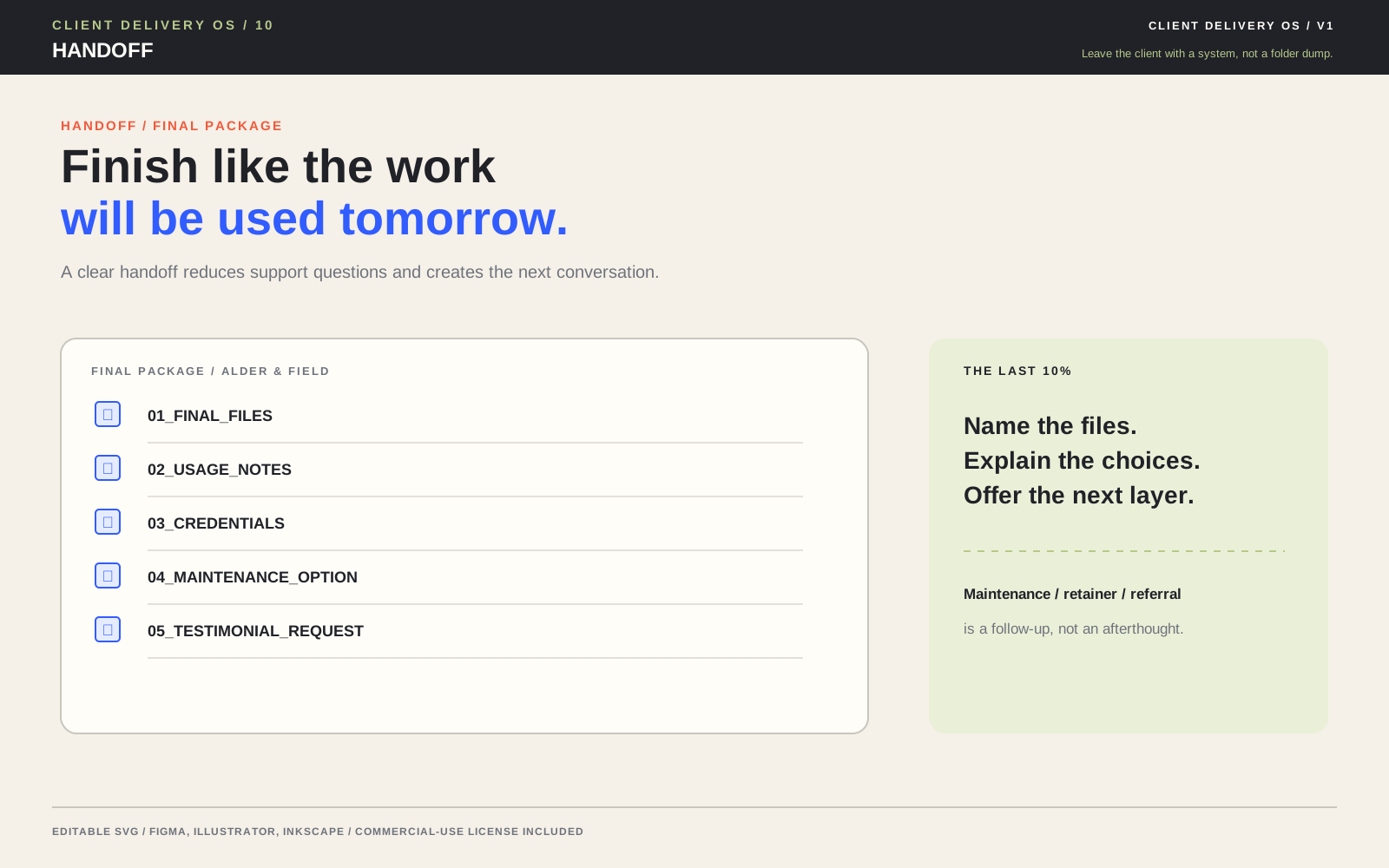
Organize around the client’s tasks, not your internal production stages. A useful top-level structure might contain a start-here document, final deliverables, editable sources, implementation or usage notes, access and ownership notes, and an acceptance record. Use stable names and dates or version numbers. If the package is stored in a shared workspace, make the root page the index instead of asking the client to open several nested folders.
| Package part | What to include | Proof it is ready |
|---|---|---|
| Start here | Purpose, first action, package map, and contact route | A new reader can find the first task in under a minute |
| Final output | Approved exports, production URL, or release artifact | Version and location match the acceptance record |
| Editable source | Source files, repository link, or structured data needed for future edits | The client can identify the editable master and its dependencies |
| Use and maintain | Publishing steps, style rules, component notes, or routine maintenance | The client can complete one representative task |
| Ownership and limits | Account owners, licenses, known limitations, support window, and open items | There is no ambiguity about who acts next |
Use formats that fit the job. A PDF can preserve a visual guide, while a living document may be better for instructions that will change. A repository README can be the right home for a code handoff, but pair it with a non-technical overview if the client is not the maintainer. Accessibility belongs in the package too: use meaningful headings, descriptive link text, sufficient contrast, and text alternatives where relevant. W3C’s WCAG overview explains that accessibility applies across web content and can also inform documents and other ICT.
Run a handoff review without reopening the project
Invite the client to validate usability, not to restart exploration. Give them a short review window and a concrete test script: open the start-here guide, locate the final file, perform one routine action, and report anything that blocks that action. Ask questions such as “What would you expect to happen next?” rather than “Do you like this?” The first identifies an operational gap; the second can reopen settled preference decisions.
Sort feedback immediately. A broken link or missing agreed export is a correction. A request for a new feature, alternate direction, or additional format is a change request. A question answered by existing documentation is a documentation improvement. This triage makes the revision boundary visible without being defensive.
If the handoff is for a service that someone else will operate, include a dry run. APM’s project handover guidance recommends meaningful documentation for end users, knowledge transfer, and operational rehearsal. For a solo freelancer, that can be as small as asking the client to publish one page while you observe, then correcting the guide.
Protect access and client information
Security is part of delivery quality. Before sending, identify whether the package contains personal information, confidential business material, private keys, customer exports, or credentials. Share only what is necessary, limit access to named people, and use a channel appropriate to the sensitivity. If you are unsure whether an item belongs in the package, ask the client’s designated owner rather than guessing.
NIST guidance recommends safeguards based on the confidentiality impact of personally identifiable information. Its examples include access enforcement, transmission confidentiality, secure storage, media transport controls, and sanitization before disposal or reuse. For a small studio, the practical translation is to avoid public links for sensitive files, use access-controlled storage, protect data in transit, and remove temporary copies according to the agreed retention practice.
The UK Government’s security standard likewise calls for secure collection, processing, and storage, risk assessment, appropriate protections, and regular testing of controls. You do not need a government-scale process for every brochure project, but you do need a proportionate decision. Record what was shared, with whom, and when access should be reviewed or removed.
Close the loop after delivery
After acceptance, close your internal project record. Save the final version, acceptance evidence, key decisions, and lessons learned. Note which handoff questions repeated or which instruction was unclear. Those observations are operational feedback, not a reason to burden the client with a long retrospective.
Review the support boundary. If the client bought a maintenance or training period, state its end date and included channel. If a future request is outside scope, acknowledge it and describe the next commercial or planning step without implying that the current project is still open. The handoff is complete when ownership, access, and next actions are clear—not merely when a download link has been clicked.
Illustrative example: a small website launch
Illustrative example: A two-person studio launches a five-page marketing site. Instead of sending a compressed folder, the studio creates a start-here page with the production URL, the approved page list, the repository and hosting owners, a short content-editing guide, a list of known limitations, and the support end date. It invites the client’s operations lead to the hosting and analytics accounts, confirms that the studio’s temporary access will be removed after the support window, and schedules a 30-minute publishing dry run.
During the dry run, the client cannot find where to replace a social preview image. That is a handoff documentation gap, not a new design direction. The studio updates the guide, records the change, and asks the client to repeat the task. The final acceptance note then names the live version, the open limitation, and the owner of future content updates. The package is smaller than the studio’s internal archive, but more useful to the person who must operate it.
Evidence consulted
Sources and limits
These sources support the practical principles discussed above. They do not establish one universal client-delivery rule or guarantee a project outcome.
- Association for Project Management: Project handover
- Association for Project Management: 12 factors for successful project handover
- W3C Web Accessibility Initiative: WCAG 2 Overview
- UK Government Service Standard
- UK Government Service Standard: Make the service simple to use
- UK Government Service Standard: Make sure everyone can use the service
- UK Government Service Standard: Create a secure service which protects users’ privacy
- NIST: Guide to Protecting the Confidentiality of Personally Identifiable Information
Useful answers
Frequently asked questions
What is a client handoff process?
A client handoff process is the structured transition from completed project work to client ownership. It confirms what was accepted, packages the right files and instructions, transfers access to the right people, captures open items, and states support boundaries and next actions.
What should be included in a client handoff checklist?
Include the accepted final deliverables, editable sources or repository location, dependencies, a start-here guide, usage or maintenance instructions, ownership and access notes, known limitations, open items, and written acceptance. Remove drafts and unnecessary personal or confidential data.
How do I prevent a handoff from turning into more revisions?
Define acceptance before packaging, tie the handoff to a specific version, and classify feedback as a defect, client dependency, documentation gap, or change request. A short task-based review is more useful than an open-ended invitation to keep refining preferences.
How should passwords and client access be handed over?
Transfer ownership to the client’s named administrator and use the client’s approved password manager or another secure transfer channel. Do not place passwords in a plain-text handoff document. Record roles and review or remove your access at the end of the agreed support period.
When is a client handoff complete?
A handoff is complete when the client can locate and use the accepted work, ownership and access are clear, open items have named owners, and the support boundary or next review point is documented. Sending a download link alone does not establish a usable handoff.